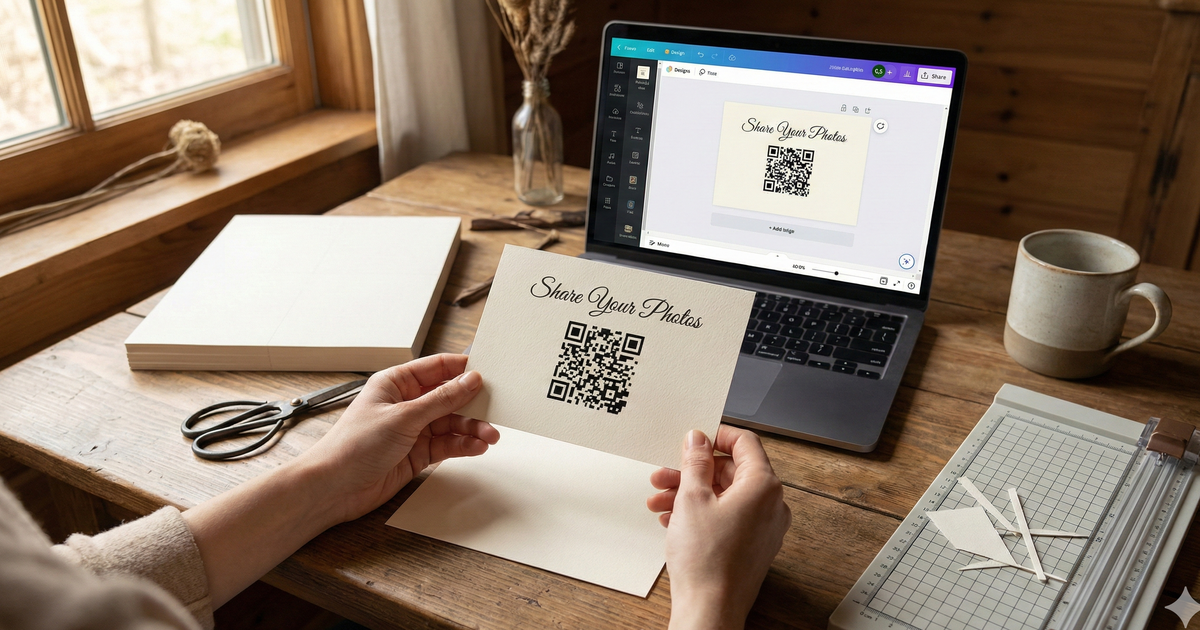
You don't need a graphic designer to create a beautiful wedding table card. With a free template and about 15 minutes, you can design elegant QR code cards that match your wedding style perfectly. Guests scan the code, upload their photos, and you get every moment from every table without chasing anyone down afterward.
Here's everything you need to make it happen.
What You'll Need
- A free Canva account (canva.com)
- Your QR code from SendItToYou (takes 2 minutes to generate)
- Cardstock paper (if printing at home)
- About 15 minutes
Step-by-Step: Create Your Table Card
-
1
Get your QR code
Visit sendittoyou.com/event and create your photo collection page. Your unique QR code is generated automatically. Download it as a PNG image.
-
2
Open Canva
Go to canva.com and create a new design. Choose "Custom size" and enter 5 x 7 inches (portrait). Or use 4 x 6 for a smaller card.
-
3
Choose a background
Start with a blank white canvas. Add a border, pattern, or keep it minimal. Search Canva for "wedding border" or "elegant frame" for free options.
-
4
Add your text
Add a heading like "Share Your Photos With Us" in an elegant font. Below that, a smaller line like "Scan the code below with your phone camera." Choose fonts that match your wedding invitations.
-
5
Add your QR code
Upload your QR code image to Canva, then drag it onto the card. Make it at least 1.5 inches square. Center it and leave breathing room around it.
-
6
Add optional details
Your wedding date, your names, or a small decorative element. Keep it clean -- less is more.
-
7
Download and print
Download as PDF (Print) for best quality. Print on cardstock at home or order from Canva Print, Vistaprint, or a local print shop.
Template Wording Options
Not sure what to write on your card? Here are four ready-to-use text combinations. Pick the one that fits your style and copy it straight into your design.
Classic Elegant
"We wish we could spend the entire evening with each of you."
Since that isn't possible, we've made it easy to share your photos with us!
Point your phone camera at the QR code to upload
Short & Sweet
"Share Your Photos"
Scan to upload -- no app needed
Warm & Personal
"Your photos mean the world to us"
Please share your favorite moments from tonight by scanning below
Fun & Modern
"Don't let your photos stay on your phone!"
Scan. Upload. Done. We'll love you forever.
Step 1: Get your QR code
Create your event page in under 2 minutes. Then come back and design your card.
Create Your Event PagePrinting Tips
Get Professional Results at Home
- Paper: 110lb cardstock or heavier. Matte finish is best -- glossy can cause glare on QR codes and make them harder to scan.
- Quantity: One card per table plus extras for the bar, photo booth, welcome table, and restrooms. Budget about 1.5x your table count.
- Test first: Always print one test card and scan the QR code with your phone before printing the full batch.
- Trim: Use a paper cutter for clean edges, not scissors.
- Stands: Small acrylic photo frames or place card holders work great for display.
Alternative Printing Options
Not everyone has a printer at home, and that's perfectly fine. Here are a few other ways to get your cards printed:
- Canva Print: Order directly from Canva after designing. Ships in 3-5 days.
- Vistaprint: Professional quality with frequent sales and coupon codes.
- Local print shop: Same-day turnaround in most cases, and they can advise on paper weight and finish.
- Home printer: Works great on cardstock. Cheapest option and you control the timeline.
Frequently Asked Questions
Is the template really free?
Yes. Canva is free to use, and your QR code is included with your SendItToYou event page. No hidden fees for the design itself.
What size should I print?
5 x 7 inches is the most popular size. It's large enough to be visible from across the table. 4 x 6 works too if you prefer something smaller or are placing cards at individual place settings.
Can I match my wedding colors?
Absolutely. In Canva, you can change the border color, font color, and any accent elements to match your wedding palette. Use your hex color codes for an exact match.
What if I'm not creative?
Start with a simple white card, centered text, and a centered QR code. Clean and minimal looks intentionally elegant. You really can't mess it up -- some of the best-looking cards are the simplest ones.
Your Card, Your Memories
A beautiful table card doesn't require a designer or a big budget. With a free template and your QR code, you'll have professional-looking cards that collect every guest photo from every table. The 15 minutes you spend on design will pay off with hundreds of photos you'd otherwise never see.
Those candid shots of your grandmother on the dance floor, your college friends making toasts, the flower girl twirling in her dress -- they're all waiting to be captured. All you need is a card on the table that says "share your photos with us."
Start with your QR code
Create your event page, download your QR code, then design your card.
Create Your Event Page