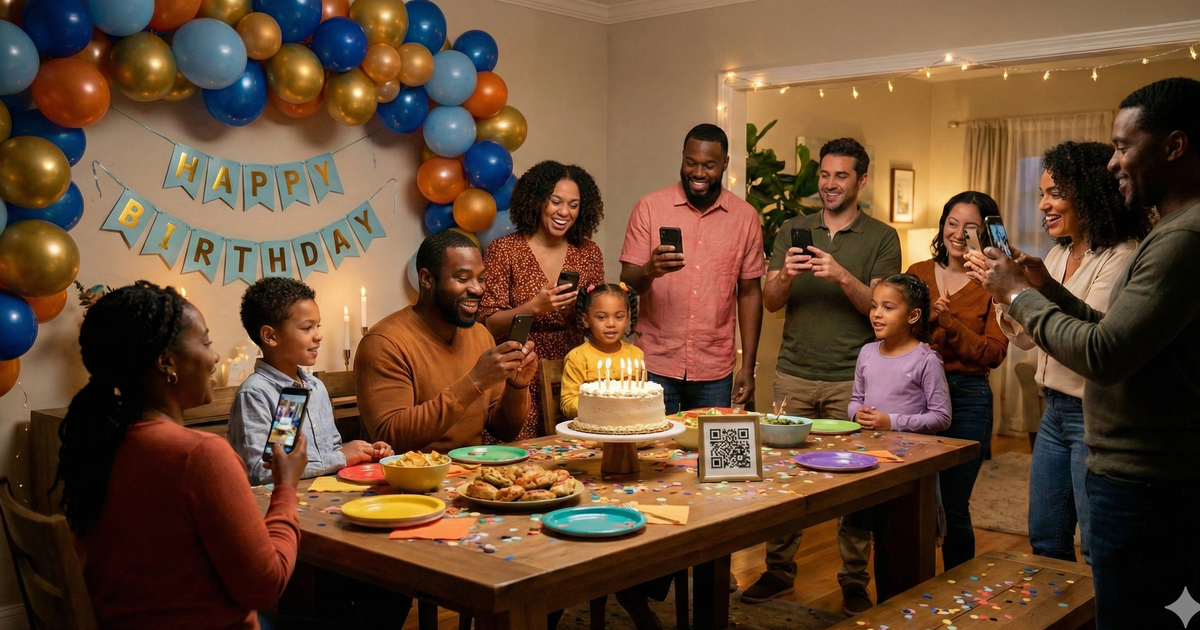
You threw an amazing birthday party. Friends, family, decorations on point. Everyone had their phones out snapping photos all night. But here's what happens next: those photos end up scattered across 20 different phones, and you never see most of them.
The group shot your cousin took. The candid of the birthday person blowing out candles. That hilarious moment on the dance floor. All sitting in other people's camera rolls, slowly getting buried under newer photos until they're forgotten entirely.
There's a simple fix. Here's how to collect every photo from your next birthday party without chasing anyone down.
Why Birthday Party Photos Are Worth Collecting
Milestone birthdays are once-in-a-lifetime events. The 1st birthday with cake smash photos. A Sweet 16 surrounded by friends. Turning 21, 30, 40, or 50 with the people who matter most. These aren't ordinary weekends. They're the kind of celebrations you want to remember in detail.
The best birthday photos are rarely the posed ones. They're the candid moments: the genuine surprise on someone's face when they walk into the room, the group of old friends reuniting, the grandparents watching from across the table with proud smiles. Your guests are capturing these moments constantly, but you'll never see them unless sharing is effortless.
Photos That Become Gifts
Collected birthday photos have a second life. Think photo books, a slideshow at next year's party, framed prints, or a digital album to share with people who couldn't attend. One night of photos can fuel a year's worth of memories.
The QR Code Solution
Here's how it works: you create a photo collection page with its own QR code. Print that code on a few signs and place them around the party. When guests want to share a photo, they scan the code with their phone camera, select their photos, and upload. That's it.
No app to download. No account to create. No group text to join. Just scan and share.

Why QR Codes Beat Other Methods
QR Code Uploads
- Works on any smartphone
- No app or account needed
- Full quality photos
- All photos in one place
Shared Albums
- Requires specific app
- Account required
- iPhone/Android conflicts
- Not everyone will bother
Group Texts
- Photos get compressed
- Everyone sees phone numbers
- Messages pile up fast
- Hard to download all
Perfect for Kids' Parties Too
At kids' birthday parties, parents are the photographers. They're already comfortable with QR codes and happy to share the adorable moments they capture. Bonus: send the event page link to parents who couldn't make it so they can see all the fun their kids had.
How to Set Up Photo Sharing for Your Birthday Party
-
1
Create your event page
Go to sendittoyou.com/event and set up your photo collection page. Choose a custom URL like "marks30th.sendittoyou.com" so it's easy to share and remember.
-
2
Download your QR code
After creating your event, you'll get a QR code image. This links directly to your upload page where guests can share their photos.
-
3
Design fun signage matching your party theme
Make a sign that fits the vibe. Going with a neon theme? Print it on bright paper. A classy 50th? Use elegant card stock. Match the energy of your party.
-
4
Place signs at key spots
Put QR codes where the action happens: the gift table, drink station, photo backdrop, and the main gathering area. More signs mean more photos.
-
5
Announce it early in the party
A quick mention right after everyone arrives makes a big difference. "Hey everyone, we'd love to see your photos tonight! Scan any of the QR codes around the room to share."
Where to Place Your QR Codes
Think about where guests naturally take photos and where they have a free moment to scan:
- Gift table: Everyone pauses here, and gift-opening moments are some of the best candids
- Food and drink station: People linger here and always photograph the spread
- Photo area or backdrop: If you've set up a photo spot, this is a no-brainer
- Entrance: Catch guests while the party is fresh and they're excited
- Party favor table: Include a small card with each favor as a take-home reminder
- Near the cake: The cake cutting and candle-blowing moments draw every phone in the room
Ready to collect your birthday party photos?
Set up your photo collection page in under 2 minutes. No app required for guests.
Create Your Event PageSign Wording Ideas
Your sign should match the mood of the party. Here are a few options:
Fun & Casual
"Snap it! Share it! We want to see your party pics! Scan the QR code to upload your photos."
Simple & Direct
"Share your photos from tonight. Just scan with your phone camera. No app needed."
For Milestone Birthdays
"Help us celebrate [Name]! Share your photos so we can relive this night forever."
Frequently Asked Questions
Do guests need to download an app?
No. They scan the QR code with their phone's regular camera app, which opens a web page. They tap to select photos and upload directly. Works on any smartphone.
What about older family members who aren't tech-savvy?
If they can take a photo with their phone, they can share it. QR code scanning is built into every modern smartphone camera. You might show them once, but it's genuinely simple: point the camera, tap the link, pick photos, done.
Can I see photos during the party?
Yes! You can check your event page anytime to see what's been uploaded. It's fun to peek during the party and see what moments guests are capturing from their perspective.
How do I get the photos afterward?
After the event you'll get an email with a link to your files. Open this on a laptop or desktop computer since there may be more photos than you want to save on your phone. Then one click on your link and you'll be asked where to save your files. Choose the folder on your computer and one-by-one all your photos will download without any further clicks or prompts from you.
How long are photos available?
Event pages include 30 days of storage from date of purchase, plenty of time to download everything, create a photo book, or put together a slideshow for the birthday person.
Every Photo Tells Part of the Story
Birthday parties bring people together. Whether it's a backyard barbecue for a 5-year-old or a rooftop dinner for a 40th, every guest sees the celebration from a different angle. The photos they take become pieces of the full story, moments you missed because you were busy being the host, or the guest of honor, or just having a great time.
Don't let those moments stay locked on other people's phones. Make sharing effortless, and you'll end up with a collection of memories that captures the entire night, not just the parts you happened to photograph yourself.
Don't let the memories stay on other people's phones
Set up photo sharing in minutes. Collect every guest photo automatically.
Create Your Event Page